
Green Screen Remover — Remove Green Screen from Video Online
Upload your green screen footage and remove the green background automatically. No chroma key sliders, no spill suppression, no masks — the AI cuts out the subject and gives you a video with a transparent background.
How to remove a green screen from a video
1. Upload your green screen video (MP4, MOV or M4V).
2. Wait while the AI removes the green background on every frame.
3. Download the transparent video and put any background behind it.
Green screen remover vs. chroma key
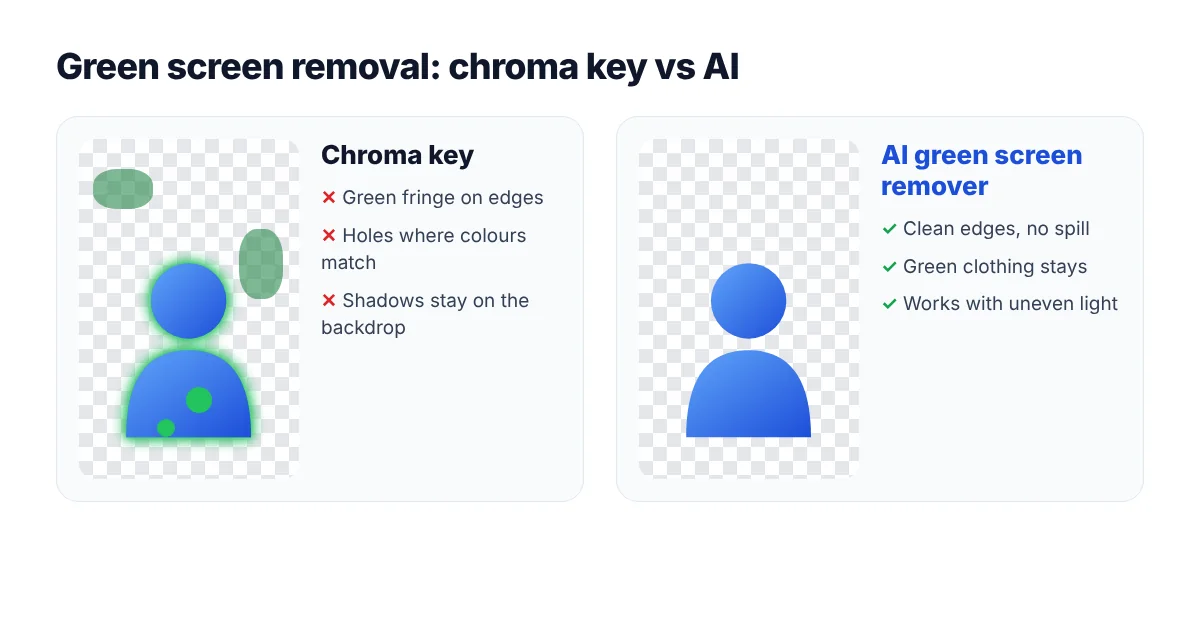
Chroma key is the classic way to remove a green screen: the editor removes every pixel close to a chosen shade of green. It is fast and precise when the screen is evenly lit, but real footage is rarely perfect:
- Uneven lighting and wrinkles create shades of green that the key misses.
- Green spill tints hair and skin edges.
- Shadows on the backdrop leave dirty patches.
- Green clothing or props disappear together with the background.
An AI green screen remover looks for the subject, not for a colour. Uneven, wrinkled or partly lit green screens are handled the same way as a clean studio backdrop, and green objects on the subject stay in place. It also works with blue screens — and with no screen at all: see the video background remover for ordinary backgrounds.
Get a transparent result
After the green screen is removed, you download a video with a transparent background (alpha channel). Place it over slides, gameplay, b-roll or any new scene in Premiere Pro, After Effects, DaVinci Resolve, CapCut or Canva.
Tips for better green screen footage
- Keep the subject a few steps away from the backdrop to reduce spill.
- Light the subject and the screen separately when you can.
- Avoid green clothing or props.
- Use a steady camera and the highest resolution you have.
FAQ
What is the best way to remove a green screen?
If the green screen is perfectly lit, a chroma key in your editor works well. If the lighting is uneven, there are shadows or spill, or you don’t want to tweak keying settings, an AI green screen remover like this one is faster and cleaner.
Can I remove a green screen without After Effects or Premiere Pro?
Yes. Upload the video here and download the result — no editing software is needed.
Does it work with a blue screen?
Yes. The AI detects the subject regardless of the backdrop colour.
Can I remove other solid backgrounds?
Yes — black, white and other solid backdrops are removed with the video background remover.
Is the green screen remover free?
You can try it on 1 minute of video for free, then choose a minute pack on the pricing page.