
CapCut Video Background Remover: How to Remove a Video Background in CapCut
CapCut can remove the background from a video in two ways: an AI Remove background option and a Chroma key for green screens. Here is how to use both, and what to do when the result isn’t clean enough. Prefer not to edit? Use the tool at the top of this page and import the transparent result into CapCut.
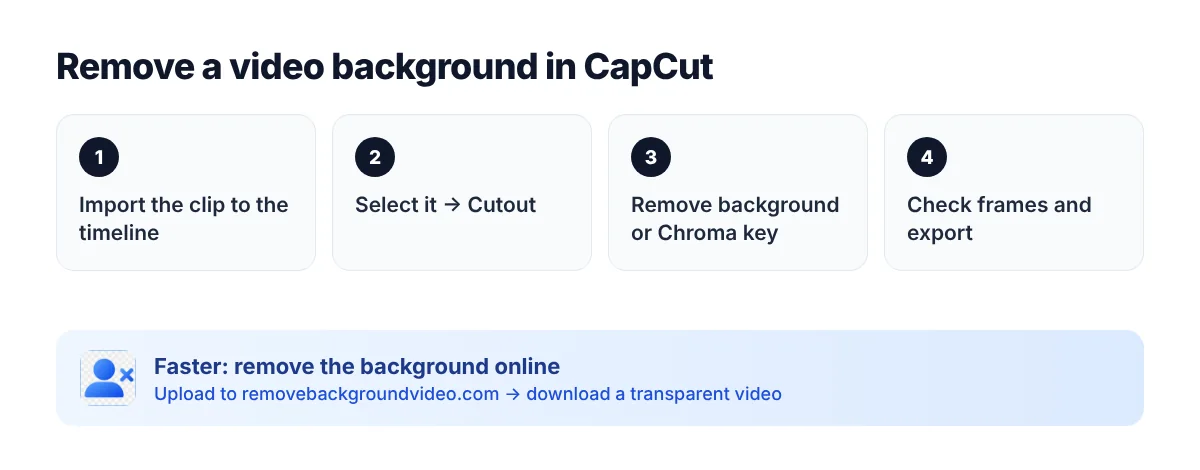
How to remove a video background in CapCut (AI)
1. Create a project, import your video and drag it to the timeline.
2. Select the clip.
3. Open Cutout (on mobile) or the clip’s video settings (on desktop).
4. Choose Remove background and wait for CapCut to process the clip.
5. Check the result frame by frame, then export.
Menu names differ slightly between the mobile app, the desktop app and CapCut Online, and they change with updates — look for “Cutout”, “Remove BG” or “Auto removal”.
How to remove a green screen in CapCut (Chroma key)
1. Select the green screen clip on the timeline.
2. Go to Cutout → Chroma key.
3. Use the colour picker on the green area.
4. Adjust Intensity/Strength and Shadow until the green is gone without eating into the subject.
For uneven green screens, spill and shadows, an AI green screen remover usually gives cleaner edges than a chroma key.
Common problems with CapCut background removal
- Flickering or “eaten” edges around hair and hands on fast movement.
- Parts of the subject disappear when they are similar in colour to the background.
- No transparent export — CapCut exports regular MP4 videos, so you cannot easily reuse the cutout in another editor.
- Feature availability depends on the app version, region and plan.
Alternative: remove the background first, then edit in CapCut
1. Upload your video to the video background remover above.
2. Download it with a transparent background.
3. Import it into CapCut and add any background, text or effects.
FAQ
Can CapCut remove the background from a video?
Yes. Use the Remove background option (AI) or Chroma key for green screens. Results depend on the footage.
Is CapCut’s video background remover free?
It has been available for free in many versions, but CapCut changes which features need Pro. Check your app. Our tool lets you try 1 minute of video for free.
How do I get a transparent video from CapCut?
CapCut doesn’t export videos with transparency in most cases. Remove the background with a tool that outputs a transparent video instead.