
Unscreen Alternative: Remove Video Backgrounds After Unscreen Shut Down
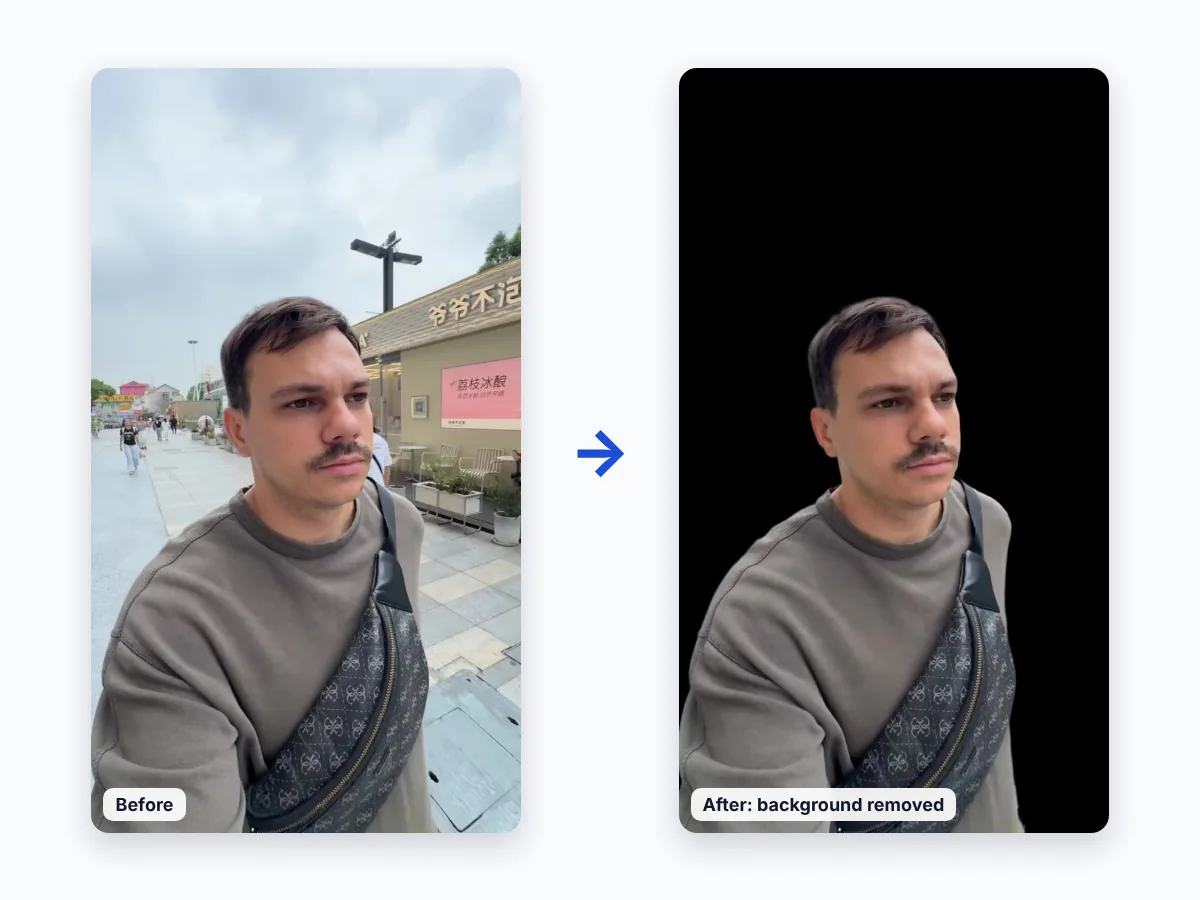
Unscreen, the popular online video background remover, closed on June 29, 2026. If you used it to cut people out of clips, this tool works the same way: upload a video, the AI removes the background, and you download a video with a transparent background.
How to remove a video background without Unscreen
1. Upload your video (MP4, MOV or M4V) to the tool above.
2. Wait while the AI removes the background on every frame — no green screen needed.
3. Download the video with a transparent background.
What happened to Unscreen?
Unscreen was operated by the team behind remove.bg, which is part of Canva. Canva announced that Unscreen would stop operating on June 29, 2026, and pointed users to Canva’s own video background remover.
Unscreen alternatives compared
- Video Background Remover (this site) — online, no editor needed, AI removal with a transparent export. Try 1 minute free, then minute packs.
- Canva — background remover inside the Canva editor, requires Canva Pro; exports are usually MP4 without transparency. See our Canva guide.
- CapCut — Remove background and Chroma key inside a full video editor; transparent export is limited. See our CapCut guide.
- Adobe Express — video background removal inside Adobe’s online editor.
- Kapwing and VEED — online video editors with background removal features.
- remove.bg — removes backgrounds from images only, not videos.
Which Unscreen alternative should you choose?
- You just need the cutout, like on Unscreen: use the online remover on this page — upload, remove, download.
- You are already designing in Canva or editing in CapCut: try their built-in tools; if you need a reusable transparent file, remove the background here first.
- Green screen footage: use the green screen remover.
FAQ
Is Unscreen still working?
No. Unscreen closed on June 29, 2026.
Can remove.bg remove backgrounds from videos?
No — remove.bg works with images. For videos, use a video background remover such as the one on this page.
What is the closest alternative to Unscreen?
A dedicated online video background remover that works in the browser and exports a transparent video — like this one. Upload a clip and compare the result with your old Unscreen exports.