
Video Background Remover
Online AI tool that removes the background from videos and animated GIFs in a few clicks — and gives you a result with a transparent background.
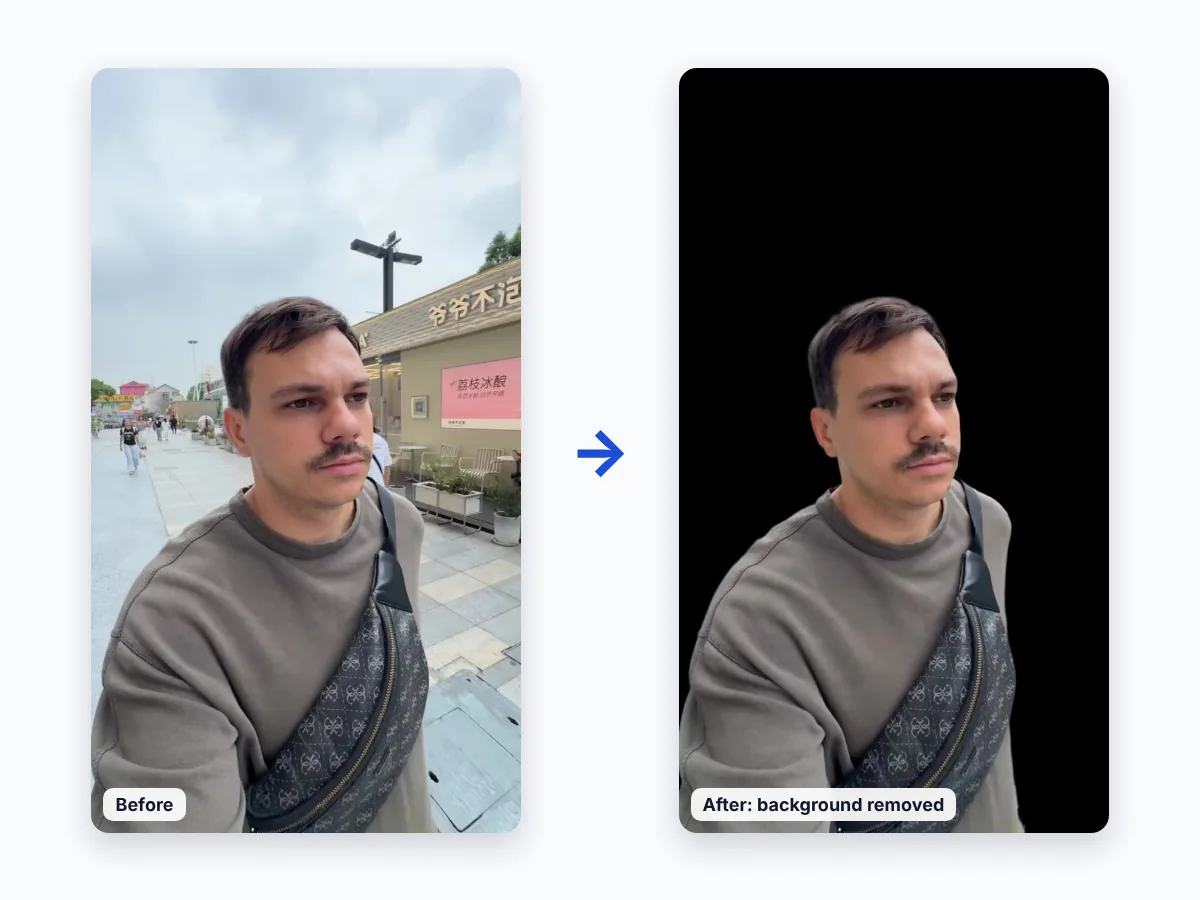
What Video Background Remover does
Video Background Remover automatically separates the person or object in a video from everything behind it. You upload a video, the AI processes every frame, and you download a video with a transparent background. No green screen, no masking and no editing software are needed. Supported uploads: MP4, MOV, M4V and GIF.
Who it is for
- Content creators who want to place themselves over gameplay, slides or new scenes.
- Marketers who cut products and presenters out of footage for ads and demos.
- Educators who record lessons anywhere and appear over the lesson material.
- Video editors who need a clean cutout without hours of manual masking.
How to use it
1. Open the app at https://app.removebackgroundvideo.com/ and sign in.
2. Upload a video or an animated GIF.
3. Wait a few seconds while the AI removes the background on every frame.
4. Download the result with a transparent background.
Pricing
Try it for free on 10 seconds of video. After that, buy a one-time minute pack — no subscription. Minutes are deducted according to the duration of the processed videos.
- Free trial — $0: 10 seconds of video
- 10 minutes — $15.99 ($1.60 per minute)
- 30 minutes — $42.99 ($1.43 per minute, save 10%)
- 60 minutes — $76.99 ($1.28 per minute, save 20%)
Full pricing details: https://removebackgroundvideo.com/pricing/
Contact us
Questions, support or billing: info@captain.works. You can also use the contact page. We usually reply within one to two business days.
Legal
- Terms of Service
- Privacy Policy
- Refund Policy — full refund within 20 days of purchase
- Cookie Policy
Tech Product Partners Kft.
11 Ady Endre utca, Tésa, 2636, Hungary
© 2026 Tech Product Partners Kft. All rights reserved.